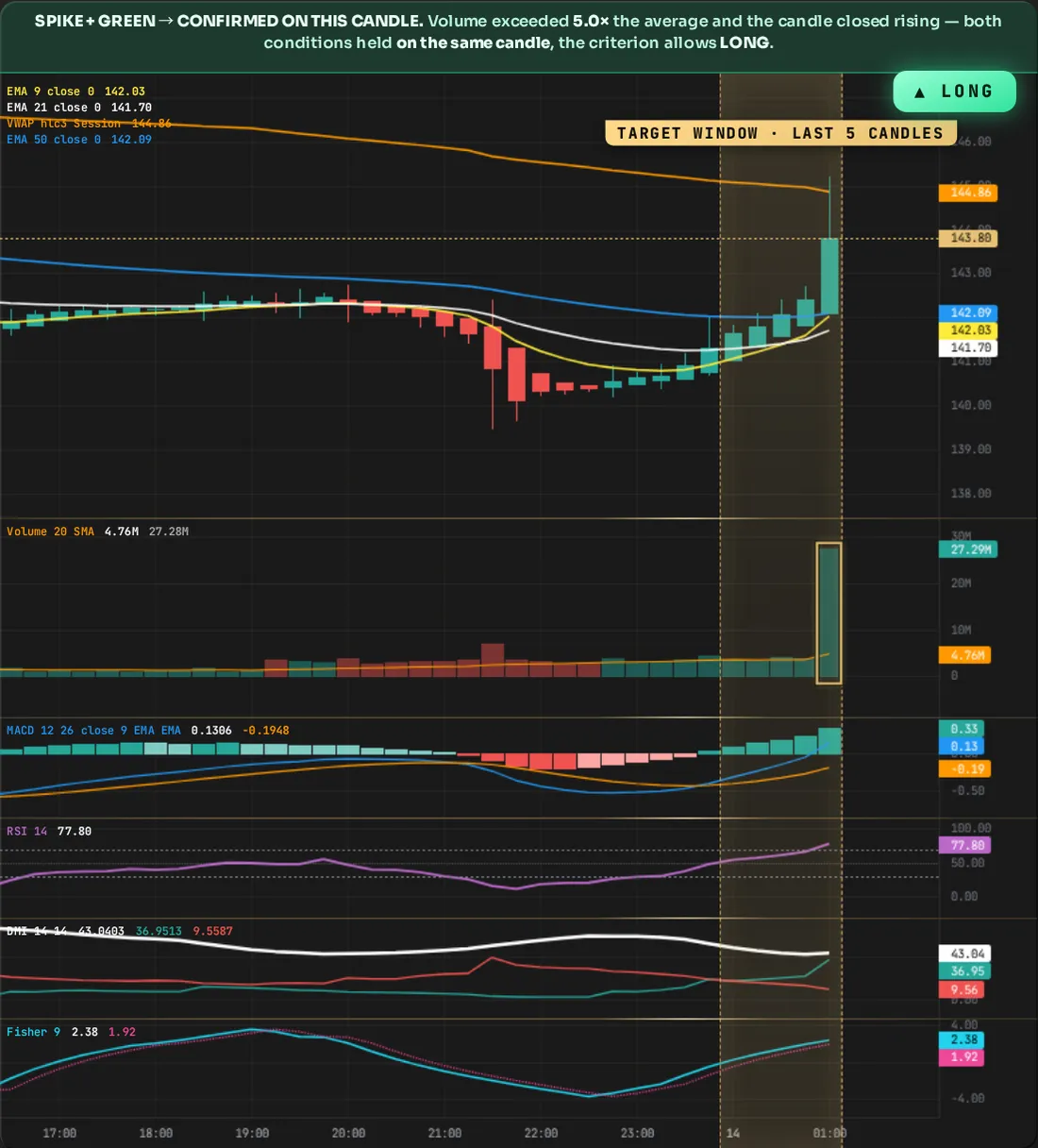
Green Candle Confirmation · High Volume
Helper filterLONG
A single event: in one of the last Volume Spike Window candles, volume rose to the multiple you entered of its 20-candle average and that same candle closed green. Both conditions must be on the same candle. It only confirms the LONG side.
What is volume?
A candle's volume is the amount that changed hands during that candle. The orange line is the average of the last 20 candles; if the bar spikes noticeably above this line, something unusual happened on that candle. Volume tells how many people participated in the move; it doesn't say the direction.
How do you use it?
Doesn't open a trade on its own; it confirms the main criterion's signal. A spike on a green candle shows volume is backing the upside. Caution: if the volume filter is on but Green Candle Confirmation isn't checked, the engine can't find the event it's looking for and no signal passes — this box must be checked while LONG is active.
Which settings does it read?
Two boxes are read: Volume Spike Window (how many candles back to look) and Volume ×multiplier (how many times counts as a spike). Raising the multiplier reduces the signal; enlarging the window also counts older spikes. Both have their own measured table on their own page. This screen was drawn with ×5 and 5 candles as an example.
Does this condition close the position?
It only approves the entry; even if volume fades afterward, it doesn't close the position. What closes it is your choice: if Profit Lock is on, PNL tracking takes over (while it's on, the Trailing Stop, Take Profit Net, Limit Take Profit Net boxes are locked); if it's off, the numbers you entered in these three are placed as orders on Binance and the position closes from there. DCA Rescuer and Liquidation Shield kick in under their own conditions; and you can always close from the panel with CLOSE or manually from Binance.